
Can GPS Dash Cams Prevent Theft?
GPS dash cams can’t physically stop a theft — but they can deter it, detect it faster, document it completely, and help recover what was lost. For commercial fleets, that combination is far more valuable than any single-feature device.
What a Standard Dash Cam Does
- Records video while the vehicle is in use
- Captures road-facing footage of incidents
- Stores footage on a local memory card
What a GPS Dash Cam Adds
- Location data tied to every recorded event
- Live tracking and route history
- Cloud video access and geofence alerts
- Event-based notifications and after-hours monitoring
GPS Dash Cams Reduce Theft Risk Through Visibility
Theft is easier when a vehicle appears unmonitored. GPS dash cams shift that equation by making vehicle activity visible at all times — even overnight, at job sites, or during off-route stops.
Theft is easier when a vehicle appears unmonitored. GPS dash cams reduce that risk by making vehicle activity visible even when managers, dispatchers, or owners are not physically present. This is especially valuable for commercial vehicles that operate away from a central location — service vans outside customer homes, construction trucks at job sites, delivery vehicles making frequent stops in unfamiliar areas.
GPS dash cams can help identify theft-related activity including vehicles moving after business hours, trucks leaving job sites unexpectedly, vans operating without authorization, vehicles traveling outside assigned service areas, unexplained stops during a route, and stolen vehicles continuing to transmit their location. The value is not only in the recording — it is in the faster awareness.
Theft Prevention and Theft Recovery Are Different — GPS Dash Cams Support Both
| Function | How GPS Dash Cams Help |
|---|---|
| Deterrence | Visible cameras and active tracking discourage theft and unauthorized use |
| Detection | Geofence alerts and motion triggers flag suspicious movement in real time |
| Documentation | Video and GPS history provide a complete record of what happened and when |
| Recovery | Live location data helps law enforcement locate a stolen vehicle faster |
| Investigation | Time-stamped footage supports insurance claims, police reports, and internal review |
How GPS Tracking Protects Fleet Vehicles
GPS data shows where a vehicle was, where it went, and whether its movement matched expected routes — context that video alone cannot provide.
GPS tracking gives fleet managers location intelligence that a camera alone cannot provide. Video shows what happened near the vehicle. GPS data shows where the vehicle was, where it went, and whether its movement matched expected activity. Together, they create a stronger record than either tool alone.
What GPS Tracking Monitors
- Live vehicle location during the workday
- Route history before, during, or after an incident
- After-hours movement outside normal windows
- Unauthorized stops and unexplained detours
- Geofence exits from approved areas
- Vehicle misuse vs. assigned routes
Real-World Fleet Examples
- Plumbing van alert if it moves at 2:00 a.m.
- Construction truck leaving a job site after hours
- Delivery vehicle stopped before cargo goes missing
- Service van traveling outside its assigned territory
- Fleet vehicle used on weekends without authorization
Dash Cam Video Strengthens Theft Documentation
Commercial theft is not always a stolen vehicle. It may involve stolen tools, missing cargo, vandalism, fuel misuse, unauthorized access, or disputes over what happened during a route. Dash cam footage can document someone approaching or entering a vehicle, activity near the cab or cargo area, a break-in attempt or vandalism, unauthorized vehicle movement, and vehicle condition before or after an incident.
Geofencing Flags Suspicious Movement Earlier
Geofencing is one of the most practical GPS dash cam features for theft prevention. A geofence is a virtual boundary around a location — fleet yard, warehouse, job site, customer facility, or restricted zone. When a vehicle enters or exits that boundary, the system sends an alert, allowing fleet managers to identify movement that doesn’t match normal operations long before the next scheduled check-in.
Common Geofence Locations
- Fleet parking lots and yards
- Warehouses and distribution centers
- Construction and equipment sites
- Customer facilities and delivery zones
- Driver home parking areas
- Restricted service territories
What Geofence Alerts Catch
- Overnight theft from secured lots
- Vehicles moved without authorization
- Personal use outside operating hours
- Route deviations and incorrect territories
- Policy violations before they become patterns
Geofencing is also valuable for internal accountability — not every alert means theft. Some incidents involve personal use, driver confusion, or policy violations. GPS records give managers facts instead of assumptions, protecting both the business and drivers from unfair blame.
Parking Mode and Impact Alerts Add Protection When Vehicles Are Stopped
Some GPS dash cams include parking mode, impact detection, motion-triggered recording, or event-based alerts — critical for vehicles parked overnight, left at job sites, stored in lots, or staged before delivery routes. These features can document break-in attempts, vandalism, hit-and-run damage, unauthorized towing, suspicious movement near the vehicle, and tampering with equipment.
Parking Mode Configuration Checklist
- Hardwire the system for continuous power if extended monitoring is needed
- Configure battery protection to prevent drain on the vehicle battery
- Define who receives after-hours alerts and how quickly they’re reviewed
- Set automatic cloud upload for event-triggered clips
- Establish a process for saving and sharing evidence when an incident occurs
GPS Dash Cams Help Prevent Unauthorized Vehicle Use
Unauthorized use may not involve an outside thief — but it still creates liability exposure, added mileage, fuel costs, and insurance complications that add up quickly across a fleet.
Unauthorized vehicle use is one of the most common fleet security issues. A vehicle may not be stolen by an outside party, but it may still be used outside approved hours, outside assigned routes, or for non-business purposes. GPS dash cams reduce this risk by creating accountability — drivers know that movement, route history, and certain events can be reviewed.
Unauthorized use can lead to higher fuel costs, added mileage and wear, increased liability exposure, higher accident risk, customer delays, vehicle availability issues, and insurance complications. GPS dash cams help managers distinguish approved business activity from unexplained movement — and clear driver policies make monitoring part of professional fleet management rather than inconsistent enforcement.
Commercial Fleets Face Theft Risks Beyond the Vehicle Itself
Commercial vehicles often carry high-value assets that make them attractive theft targets. In many cases, the cargo, tools, parts, equipment, or trailer may be just as valuable as the vehicle. GPS dash cams are especially important for:
How to Use GPS Dash Cams for Fleet Theft Prevention
- Set up geofencing: Define boundaries around fleet yards, job sites, and service territories. Configure after-hours alerts to notify managers the moment a vehicle leaves an approved zone.
- Enable after-hours monitoring: Activate parking mode or motion-triggered recording on vehicles parked at job sites, driver homes, or unsecured lots. Hardwire for continuous power if needed.
- Configure cloud video backup: Set critical event footage to upload automatically so evidence is preserved even if the vehicle is stolen, the camera is disabled, or the memory card is removed.
- Establish an alert response process: Define who receives alerts, how quickly they must be reviewed, and when law enforcement should be contacted. GPS data supports recovery — it does not replace law enforcement’s role.
- Document and share evidence: After any theft, unauthorized use, or cargo dispute, pull GPS route history and dash cam footage to create a verified timeline for law enforcement, insurers, or legal counsel.
Where GPS Dash Cams Have Limits
GPS dash cams are valuable, but they are not a complete anti-theft solution by themselves. Fleet protection works best when technology is combined with physical security, clear procedures, and strong response planning.
Technical Limitations
- Single camera may miss rear, side, or cargo areas
- Real-time tracking requires cellular connectivity
- Parked monitoring may require hardwiring or battery management
- Footage may overwrite if event clips aren’t saved promptly
- Visible equipment can be targeted by a determined thief
Operational Limitations
- Alert fatigue can cause important events to be missed
- Driver-facing cameras require clear policies and appropriate use
- Technology alone doesn’t replace physical security layers
- Poor installation reduces reliability and coverage
- Without response plans, alerts have limited practical value
A GPS dash cam should be part of a layered protection plan that also includes secure parking, lighting, alarms, locks, immobilizers, tool removal, driver checklists, and defined law enforcement procedures.
What to Look for in a Theft-Prevention GPS Dash Cam System
| Feature | Why It Matters for Theft Prevention |
|---|---|
| GPS tracking | Shows where the vehicle is and where it traveled — essential for recovery |
| Real-time alerts | Enables faster response to suspicious activity before it escalates |
| Geofencing | Automatically flags movement outside approved zones and hours |
| Cloud video storage | Preserves evidence even if the vehicle or camera is compromised |
| Event-triggered recording | Captures clips tied to impact, motion, or risky driver behavior events |
| Route history | Helps reconstruct what happened before, during, and after an incident |
| Dual or multi-camera | Expands coverage beyond the road ahead to cargo, cab, and sides |
| Parking mode | Monitors vehicles when parked at lots, job sites, or driver homes |
| Easy dashboard access | Enables rapid review during time-sensitive incidents and investigations |
| Reliable U.S. support | Ensures proper configuration and fast help when something goes wrong |
GPS Dash Cams Also Help With Theft Claims and Disputes
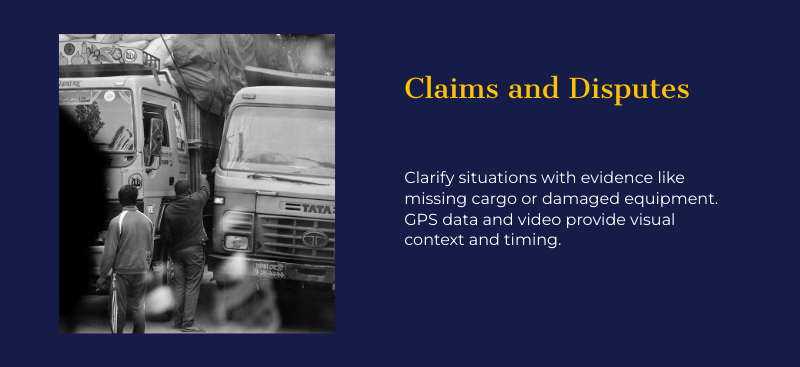
Theft protection extends to cargo disputes, damaged deliveries, and false claims — GPS route history and dash cam footage create a verified record that protects the business on multiple fronts.
Theft protection is not only about stolen vehicles. Businesses also need evidence when there are claims about missing cargo, damaged equipment, unauthorized access, or disputed delivery activity. GPS dash cams can clarify situations including a customer claiming a delivery was not made, cargo appearing damaged after a route, tools going missing after a service call, a vehicle being blamed for property damage, or a vehicle used outside approved hours.
GPS data shows the timing and location. Video footage provides visual context. Route history shows whether the vehicle followed its assigned path. Together, these records reduce uncertainty and help managers resolve issues faster — without relying on conflicting statements from multiple parties.
Driver Policies Make GPS Dash Cams More Effective
Technology works best when drivers understand how it will be used. A GPS dash cam may capture useful information, but the business still needs clear policies for vehicle use, parking, route compliance, incident reporting, and footage review. Without them, alerts go unreviewed and evidence goes unsaved.
What a Theft-Prevention Policy Should Define
- Where vehicles may be parked overnight
- Who is authorized to drive each vehicle
- Whether personal use is permitted
- How tools and cargo should be secured
- When drivers must report suspicious activity
- Who receives GPS and geofence alerts
- How dash cam footage may be reviewed
- How evidence should be preserved after an incident
How Policies Protect Drivers Too
- GPS footage can clear drivers from false claims
- Route records verify activity was legitimate
- Video documents incidents outside driver control
- Reduces confusion after a theft or dispute
- Makes monitoring part of professional standards, not inconsistent enforcement
How to Decide Whether Your Fleet Needs GPS Dash Cams
A business should strongly consider GPS dash cams if theft, unauthorized use, tool loss, cargo issues, or route accountability would create meaningful financial or operational harm. Fleet size is not the only factor — a company with five service vans may need GPS dash cams more urgently than a larger fleet operating entirely from one secured facility.
| Vehicle Situation | GPS Dash Cam Priority |
|---|---|
| Carries expensive tools, parts, equipment, or cargo | High — asset exposure increases theft attractiveness |
| Parks overnight outside a secured facility | High — unsupervised parking is the highest-risk window |
| Operates across multiple routes or job sites | High — remote operation reduces natural oversight |
| Assigned to individual drivers or technicians | High — accountability gaps create unauthorized-use risk |
| Travels through high-risk or unfamiliar areas | High — environment increases both theft and false-claim exposure |
| Makes frequent stops throughout the day | Moderate to High — each stop is a potential exposure point |
| Tows trailers or carries exterior equipment | High — trailers and attachments are frequent theft targets |
| Operates from a single secured, monitored facility | Moderate — lower exposure but documentation value remains |
Why CommercialDashcams.com Is the Right Solution for Fleet Theft Protection
CommercialDashcams.com combines GPS tracking, AI-enabled dash cams, connected fleet visibility, cloud video access, instant alerts, and practical U.S.-based support — built specifically for commercial operators, not consumer dashcam users.
For businesses that need more than a windshield camera, that combination matters. Fleet managers need to know where vehicles are, when unusual activity occurs, and whether video evidence is available when a theft, break-in, unauthorized-use issue, or insurance claim needs to be reviewed. CommercialDashcams.com delivers all of that in one connected system.
What CommercialDashcams.com Provides
- GPS tracking for live vehicle location and route history
- Geofencing alerts for unauthorized movement
- AI-enabled camera technology for safer fleet operations
- Cloud video access for easier footage review
- Connected fleet tracking in one system
- U.S.-based Fleet Protection Specialist support
Fleet-Friendly Program Features
- No long-term contracts required
- Available hardware offers for fleet deployment
- Free lifetime warranty support
- Fleet bundles for connected protection
- ELD integration available
- Asset tracking for trailers and equipment
GPS Dash Cams and Theft Prevention — Frequently Asked Questions
Can a GPS dash cam stop someone from stealing a vehicle?
A GPS dash cam cannot physically stop theft, but it can deter some theft attempts through visible monitoring, alert managers to suspicious movement via geofence notifications, record useful footage for law enforcement, and help locate a stolen vehicle faster through live GPS tracking.
Do GPS dash cams work when the vehicle is parked?
Some GPS dash cams offer parking mode, impact alerts, or motion-triggered recording that activates when the vehicle is parked. These features typically require hardwiring and proper battery management configuration to function reliably overnight or during extended parking periods.
Can a thief disable a GPS dash cam?
A thief may attempt to disable visible equipment. Cloud video uploads, tamper-resistant installation, concealed wiring, and fast geofence alerts significantly reduce this risk — footage uploaded to the cloud before tampering occurs is preserved regardless of what happens to the physical device.
Are GPS dash cams useful for tool or cargo theft?
Yes. GPS dash cams can document vehicle location, stop history, route activity, and events near the cargo area. Camera placement determines how much visual detail is captured. Multi-camera systems with rear or side coverage are most effective for cargo and tool theft protection.
Is GPS tracking enough without dash cam video?
GPS tracking shows where a vehicle went and when, but video provides the visual context needed for theft claims, insurance disputes, vandalism documentation, and unauthorized access investigations. For fleet theft protection, GPS combined with video is significantly stronger than either tool alone.
Should fleet managers track stolen vehicles themselves?
No. Vehicle recovery should always be handled through law enforcement. Fleet managers should share GPS location data with police but should never attempt to confront suspected thieves directly. The GPS data serves as supporting evidence for law enforcement, not a recovery tool for employees.
What GPS dash cam features matter most for theft prevention?
The most important features for fleet theft prevention are real-time GPS tracking, geofencing with instant alerts, cloud video storage, event-triggered recording, parking mode, route history, and an easy-to-use dashboard for rapid incident review. The best system is one fleet managers can actually use quickly when something goes wrong.
Protect Your Fleet From Theft, Unauthorized Use & Cargo Loss
GPS tracking, AI dash cams, geofencing, cloud video and U.S.-based support — no long-term contracts, free lifetime warranty.